iPhone
- 1Open the link in Safari.
- 2Tap the Share button (square with an arrow) at the bottom.
- 3Scroll down and tap Add to Home Screen.
- 4Tap Add.
Copy
Add to Reading List
Add to Home Screen
Your new social media training app. Short lessons, real examples and tools that help you post with confidence... all in your pocket.
Open the link on your phone... iPhone users open it in Safari, Android users open it in Chrome.
Create your account... tap Start learning and sign up with your first name, your team and your country, plus your email and a password.
Confirm your email... tap the link in the email we send you. Can't find it? Check your junk or spam folder.
Put it on your home screen... so it opens like a real app every time (steps below).
Start your first lesson... go to Learn and start with Reels Training.

Look for the green RR icon on your phone. Tap it any time to jump straight in.
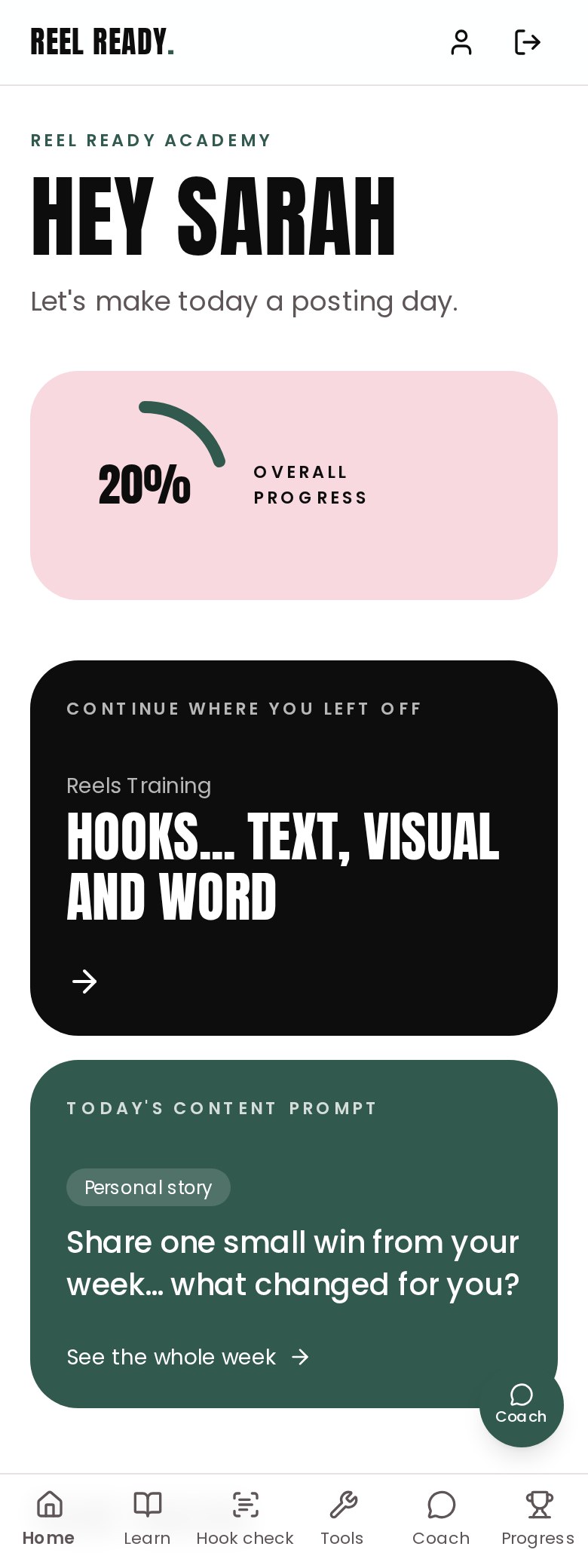
Progress, where you left off and today's posting idea.
10 training tracks from Annika's Social Media Bootcamp.
Paste your hook, caption or Reel script and get a Scroll Stop score out of 10, plus three sharper hooks to copy.
Tap the round green Coach button on any page for help with a post, a DM or a script.
Hook library
47 ready to copy hooks and captions
Post examples
Brand statement
Prompt library
Weekly tracker
Badges
The Coach is ready to use straight away... create your account, then tap the round green Coach button for help with a post, a DM or a script.
Stuck on a step? Message your sponsor or coach with a screenshot of your screen and we'll sort it out together. Remember... it's just a muscle. Start messy, stay consistent.